How to Work Remotely from a Van: The Complete Setup Guide
The idea sounds almost too good: your office moves with you. Monday morning in Moab. Wednesday calls from the Colorado high country. Friday afternoon parked above the Pacific.
For a growing number of remote workers, this isn’t a daydream, it’s a normal week day. But getting there takes more than a good van and a strong Wi-Fi signal. Working effectively from a van requires thinking seriously about power, connectivity, ergonomics, and workflow in ways most van life content glosses over in favour of sunrise photography.
This guide covers the real setup, what you actually need, what actually works, and where most people get it wrong.
First: Is van-based remote work actually viable?
Yes, with the right setup. The honest answer in 2026 is that technology has caught up with the dream. Satellite internet via Starlink now delivers speeds that were unimaginable even five years ago. Lithium battery systems can power a full laptop workstation for days without shore power. And a new generation of purpose-built adventure vans have integrated these systems from the ground up rather than bolting them on as afterthoughts.
The people who struggle with remote van work are almost always dealing with one of three problems: unreliable internet, insufficient power, or an ergonomically miserable workspace. We’ll address all three.
Internet: Your most critical system
Nothing else matters if you can’t get online reliably. This is the system to plan first and invest in most heavily.
Starlink: The game-changer
Starlink has fundamentally changed the calculus for remote van workers. The Starlink Mini, designed specifically for mobile use ,delivers download speeds of 50–200 Mbps and upload speeds of 10–20 Mbps across most of the continental US, including many backcountry and off-grid locations that previously had no connectivity at all.
At around $50/month for the Roam plan (as of 2026), it’s the closest thing to a guaranteed internet connection the van life community has ever had. For anyone taking regular video calls or uploading large files, Starlink is no longer optional, it’s the baseline.
Remote Vans builds Starlink integration directly into the electrical and roof systems of the Friday, Oasis and Aegis series. The Friday® Series comes with Starlink™ Mini as standard. The Oasis® comes with Starlink® Standard. And the Aegis™ runs a Starlink® High-Performance dish for the most demanding connectivity needs. No drilling, no jury-rigged mounts, the antenna deploys cleanly and the cabling runs properly through the van structure.
Cellular as your backup (or primary in urban areas)
In cities and populated areas, cellular internet from a dedicated hotspot device is often faster and lower-latency than Starlink. A dual-carrier setup, for example, T-Mobile and Verizon on separate SIM cards, gives you redundancy and coverage that spans their respective network strengths.
Cellular boosters (WeBoost and Cel-Fi are the leading brands) can meaningfully extend signal range in marginal coverage areas. If you’re regularly working from national forest land or remote BLM sites, a booster is worth every dollar.

The rule of three
Serious remote workers operating from a van typically run a connectivity setup with three layers:
- Primary: Starlink for reliable broadband anywhere with clear sky view
- Secondary: cellular hotspot (dual carrier) for urban areas and low-latency calls
- Backup: cellular booster to extend signal in fringe coverage areas
You don’t need all three from day one. Start with Starlink and a single carrier hotspot, and add redundancy as you learn where your coverage gaps are.
Power: How much do you actually need?
The second most common failure mode for van-based remote workers is running out of power. This happens when people underestimate how much their equipment draws, how much solar they can realistically harvest (particularly in winter or overcast climates), and how much battery they need in reserve for days without sun.
Here’s a realistic power draw estimate for a typical remote work setup:
| Device/ System | Avg Draw (watts) | Daily usage (8hr workday) |
|---|---|---|
| Laptop | 30-65W | 240-520 wh |
| External Monitor (27") | 24-40W | 200-320 Wh |
| Starlink Mini | 25-40W | 200-320 Wh (24hrs) |
| Phone Charging (x2) | 10-20W | 80-160 (wh) |
| Led Lighting | 10-15W | 40-60 (4hrs) |
| Diesel/ Electric Heater | 5-800W (Varies) | Significant, climate dependent |
| Estimited daily total (work setup only) | 760- 1,360 |
What this means in practice: a serious remote work van setup needs a minimum of 200–400Ah of lithium battery capacity (roughly 2,500–5,000Wh usable) and at least 400W of solar to keep pace through a normal workday with reasonable sun exposure.
Lithium vs AGM: why it matters for remote workers
If you’re choosing between a lithium and AGM battery system, lithium wins for remote work, unambiguously. AGM batteries can only safely discharge to 50% of capacity without significantly shortening their lifespan. Lithium batteries can discharge to 20% without damage. That means a 400Ah lithium bank gives you roughly 320Ah of usable capacity; a 400Ah AGM bank gives you 200Ah. For a remote worker running power-intensive equipment all day, that difference is enormous.
The Remote Vans Oasis and Aegis both run large-format Lithionics lithium battery systems. The 48V architecture in the Oasis unusual in the Class B space allows the A/C system to run up to three times longer on battery than comparable 12V systems, which matters significantly in hot climates where cooling is a constant draw.
This is exactly why the MoPoWa™ System matters
The Remote Vans Friday®, Oasis®, and Aegis™ all run large-format Lithionics NEVERDIE™ lithium battery systems with 16.8 kWh of 100% usable storage. Not advertised capacity with hidden reserves. Every kilowatt hour is available when you need it.
The 48V architecture, unusual in the Class B space, is what makes the real difference for remote workers in hot climates. The Oasis® and Aegis™ air conditioning systems run up to three times longer on battery than comparable 12V systems. In the middle of a Phoenix summer or a Texas afternoon, that’s not a nice-to-have. That’s the difference between a productive workday and a van you can’t sit in.
Add in the industry-first 48V 100A generator alternator that recharges the battery at any driving speed, shore power connectivity, and a 200W roof-mounted solar panel, and you have three independent recharge sources that work together to keep the system topped up no matter where the road takes you.
The T-45™ runs on 8.4 kWh of MoPoWa™ lithium storage, still a strong foundation for remote workers on shorter trips or those just getting started with van-based work.
Ergonomics: the thing nobody talks about
You can have perfect internet and unlimited power and still be miserable to work from if the physical setup is wrong. Back pain, neck strain, eye fatigue, and poor lighting are the silent destroyers of van work productivity, and they’re entirely preventable.
The desk situation
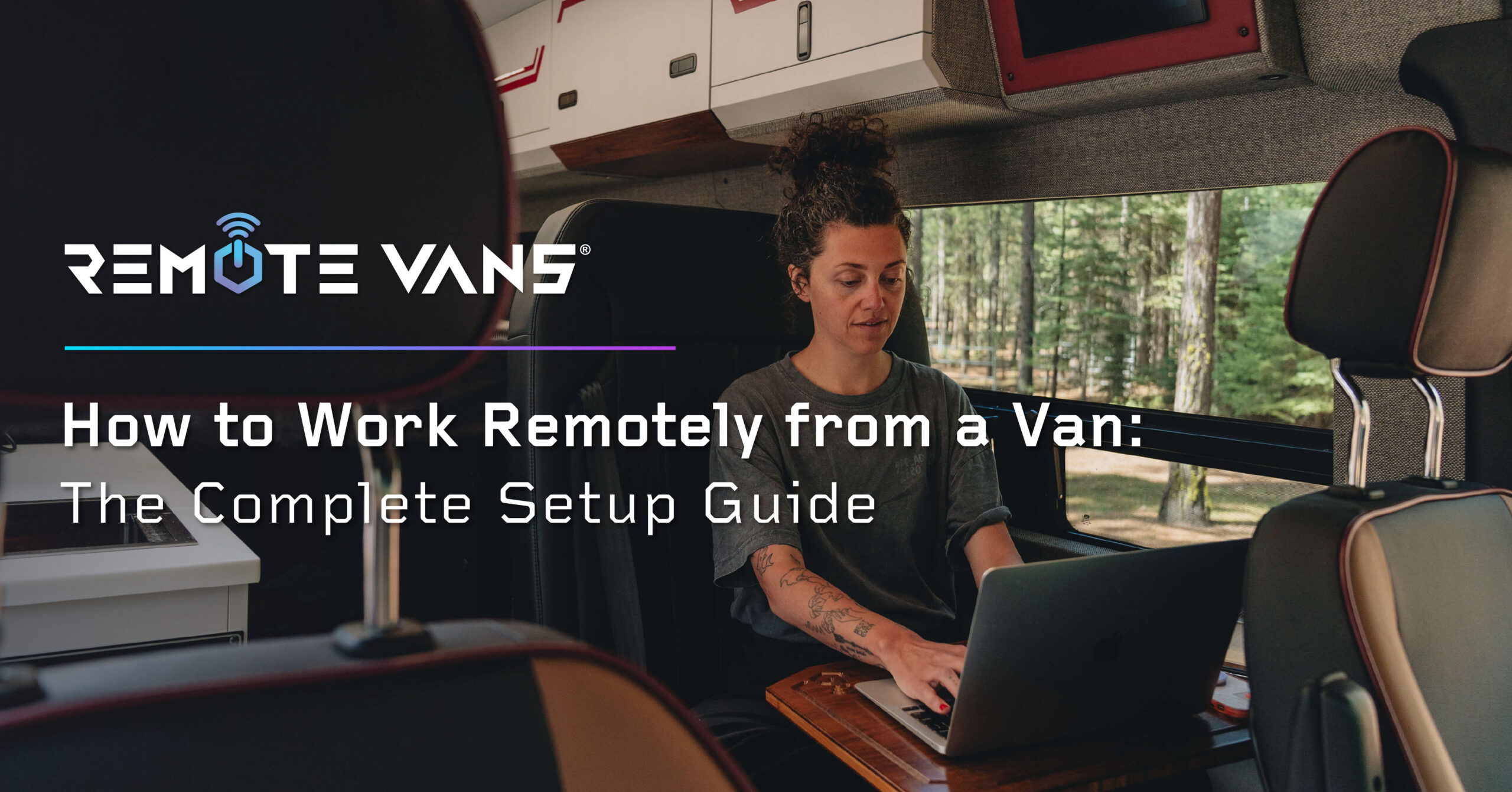
A proper working surface is non-negotiable. Not a lap desk. Not a fold-out tray table. A fixed or properly mounted surface at the right height for your seated position. In a well-designed adventure van, this means a dedicated workspace area with a surface wide enough for a laptop and an external monitor side by side.
The Remote Vans Aegis includes a dedicated desk area specifically designed for remote workers, wide enough for a dual-screen setup, positioned for natural light, and separate from the eating and sleeping zones so you can close the working day mentally as well as physically.
Seating
This is where most van-dwellers underinvest. A comfortable office chair is usually out of the question in a van, but a swivelling captain’s chair (the front passenger seat rotated to face the interior) or a well-designed cabin seat with proper lumbar support makes a meaningful difference over an eight-hour workday. Budget at minimum $200–400 for a quality seat cushion or ergonomic insert if your van’s seating doesn’t cut it.
Lighting
Natural light is your friend, position your desk near a window where possible. For video calls, position yourself facing a window rather than with a window behind you. For evening work, a dedicated desk lamp with adjustable colour temperature (3000K–5000K range) reduces eye strain considerably compared to overhead van lighting.
Noise and focus
One of the unexpected advantages of working from a van versus a coffee shop or co-working space is the quiet. A well-insulated van is remarkably sound-controlled. A quality pair of noise-cancelling headphones covers the rest, essential for calls in windier or more active outdoor environments.
The workflow adjustments that make van work sustainable
The logistics of van-based remote work require some habit changes that most digital nomad content glosses over. These adjustments are worth making deliberately rather than discovering through frustration.
Plan connectivity before you plan campsites
Most people plan their camping location and then hope the internet works. Flip this. Check Starlink coverage maps and cell coverage maps (T-Mobile and Verizon both publish detailed coverage) before committing to a location. The best campsite in the world is the wrong choice if you have a 9am call and no signal.
Batch your heavy-bandwidth tasks
Video calls, large uploads, and software updates are bandwidth-hungry. In areas with marginal connectivity, batch these tasks into time windows when you have strong signal, often midday when the satellite geometry is optimal for Starlink, and use the morning and evening for offline work.
Have a backup plan for critical days
For deadline days or important client calls, identify a coffee shop, library, or coworking space within driving distance as a backup. Apps like Workfrom and iKnow Community map remote work-friendly spaces across the US. Knowing your backup exists is usually enough to prevent needing it.
What it looks like in practice: a day in the Rolling Nomads
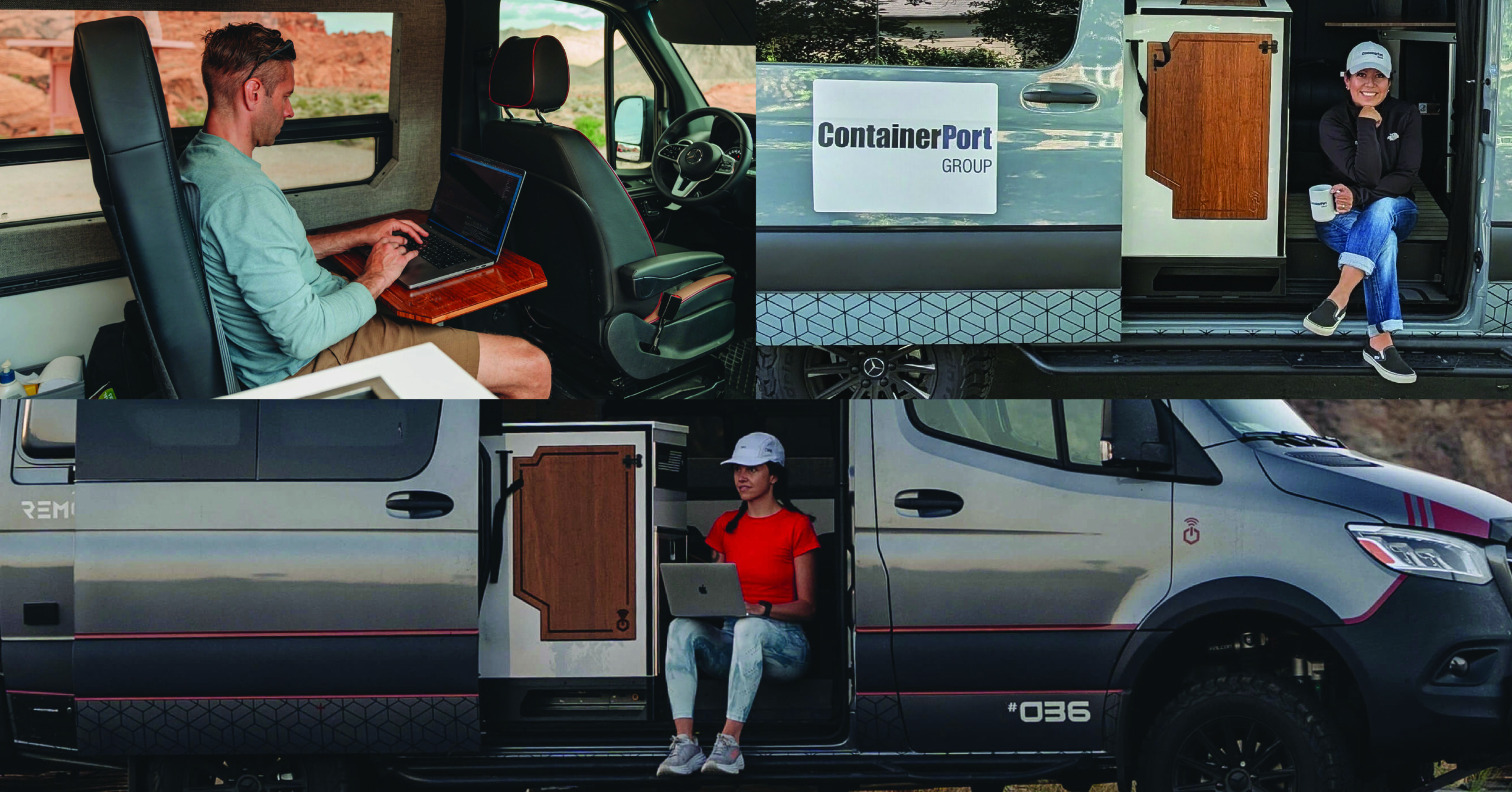
“After traveling over 4000 miles over the past month we have enjoyed many of the features the Oasis has to offer. The upgraded suspension handles well off the beaten path. We appreciate being able to stay in touch with others utilizing Starlink.
The outdoor shower is an awesome feature. It has saved me multiple times. With the large fresh water tank and battery system we were able to stay off grid for 5 full days. That’s the freedom and adventure we were looking for when we purchased Smokey. We look forward to many more adventures in Smokey in the years to come.” -Mike. T
Is working from a van right for you?
If you’re a remote worker with a job that can be done from a laptop and a reliable internet connection, which in 2026 describes a very wide range of roles then the practical barriers to van-based remote work are lower than they’ve ever been.
The technology exists. The infrastructure (Starlink, nationwide cellular, BLM camping) exists. What’s left is mostly the decision: are you willing to trade a fixed address for a moving one?
The people who do it and stick with it will tell you the tradeoff isn’t really a sacrifice. The office is still there. It’s just got a better view.
Not sure whether a Class B van is the right fit for remote work? Our Class B vs Class C breakdown makes the case clearly. Spoiler: for remote workers who want the freedom to park anywhere, work from anywhere, and travel without limits, Class B wins every time.
Are you Ready?
Ready to explore the Remote Vans lineup? Compare all four series side by side, or complete a van inquiry and we’ll connect you with your nearest dealer.